|
|
| |
|
| On occasion you may have the need to search for sophisticated arrangements for the
brass section or thorough try-outs of different piano accompaniments. You may need to use the so-called Voicing
techniques which conventionally require both knowledge and time consuming patience for try-outs. |
| CAMPS has made the Auto Voicing feature available for the first time. It will automatically
analyze the Note you select ( Lead Note ), and will provide you with various types of Voicings, thus enabling you
to instantly choose a Voicing that sounds good to you. |
 Voicing
is a technique related to the order of usage of harmonies. There are actually a number of available Notes with
different nuances within the same Chord while retaining same Lead Note. Voicing
is a technique related to the order of usage of harmonies. There are actually a number of available Notes with
different nuances within the same Chord while retaining same Lead Note. |
|
| |
| Description |
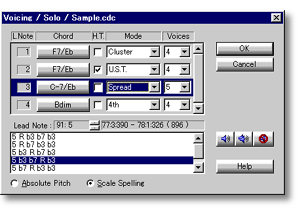
In the Voicing dialog box, CAMPS automatically analyzes the selected Note data along
with relevant Chords to provide you with various kinds of Voicings for your Line data. |
| Using |
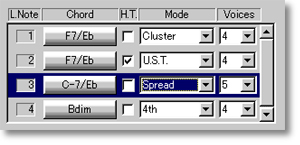
Selecting several Notes of Line data at a time is possible for Voicing. After selecting
appropriate Line data from the Pianoroll or Notation Editor and opening the Voicing Dialog box, you can select
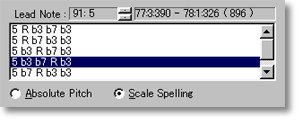
Voicing Modes, Harmonic Tensions, and quantity of Voices to be used for each Lead Note's Voicing results. It is
also possible to alter the original Lead Note to change a Voicing's Register from within the Voicing dialog box.
To obtain Voicings that do not fall within the context of a Lead Note's Chord assignment, a provision is made to
temporarily alter a Lead Note's current Chord assignment.
Using the Playback buttons, you can
then audition results and select one that sounds good to you. |
| |
|
| |
 |
| |
|